Public spaces in Qatar have seen a 38% rise in commercial AV installations over the last three years. Hotels, corporate offices, and retail environments are all competing for attention, and screens are central to that strategy.
But installing five units across a venue is not as simple as hanging a frame on a wall. Done wrong, it creates liability. Done right, it creates confidence.
This guide walks through everything facility managers and AV teams need to know about safe, professional-grade installation of heavy-duty TV mounts across five locations in one deployment.
Why Heavy Duty TV Mounts Are Non-Negotiable in Commercial Spaces
A residential mount holds a screen for one household. A commercial environment is different because foot traffic, vibration, accidental contact, cleaning staff, and children all become variables.
Heavy-duty TV mounts are engineered to handle the following:
- Screens ranging from 55 inches to over 100 inches
- Continuous load-bearing without joint fatigue
- High-vibration environments like lobbies and gyms
- Repeated repositioning without weakening the bracket arm
Cutting corners puts both property and people at risk. In secure TV installation projects in Doha, structural integrity is not optional; it is the baseline.
Choosing the Right Mount Before Installation Begins
Before a single drill touches a wall, the right equipment needs to be selected. Rushing this step causes most installation failures.
Know Your Wall Type First
Doha’s commercial buildings vary. You will encounter:
- Concrete walls: These are most common and require masonry anchors.
- Drywall over steel studs: This setup needs toggle bolts or stud-specific fasteners.
- Brick or block: This type demands longer anchor bolts and pre-drilling.
Each wall type changes the anchor system entirely. Using the wrong fastener on a concrete wall is one of the most common causes of mount failure in bulk deployments.
Match the Mount to the Screen Weight
Every screen has a listed weight, and every heavy-duty mount has a maximum load rating. These two numbers must be checked against each other before ordering.
General guidelines include the following:
- 55-inch to 65-inch screens typically weigh 18 to 28 kg.
- 75-inch to 85-inch screens can reach 45 to 60 kg.
- Always factor in the mount weight plus the screen weight combined.
Articulating Brackets vs. Fixed Options
Articulating brackets offer tilt, swivel, and extension. They are ideal for corner placements, boardrooms, and reception areas where viewing angles vary.
Fixed mounts sit flush to the wall. They work best in corridors, hotel rooms, and any space where the screen position never needs to change.
For a five-unit deployment, you will likely need a mix of both.
Pre-Installation Checklist for 5-Unit Deployments
A bulk installation requires coordination that a single-screen job does not. Use this checklist before day one.
Tools and materials:
- Stud finder and laser level
- Masonry and wood drill bits
- Torque wrench and socket set
- Wall anchors rated to load specification
- Cable management clips and conduit
Site assessment:
- Confirm the wall material at each of the five locations.
- Mark cable routing paths before drilling.
- Identify electrical outlet positions relative to planned mount height.
- Confirm the screen-to-eye-level ratio at each viewing position.
Logistics:
- Schedule installation during off-peak hours to minimize disruption.
- Assign one person per mount location if the team allows it.
- Prepare a punch list to sign off each unit individually.
Step-by-Step: How to Safely Install 5 Heavy Duty TV Mounts
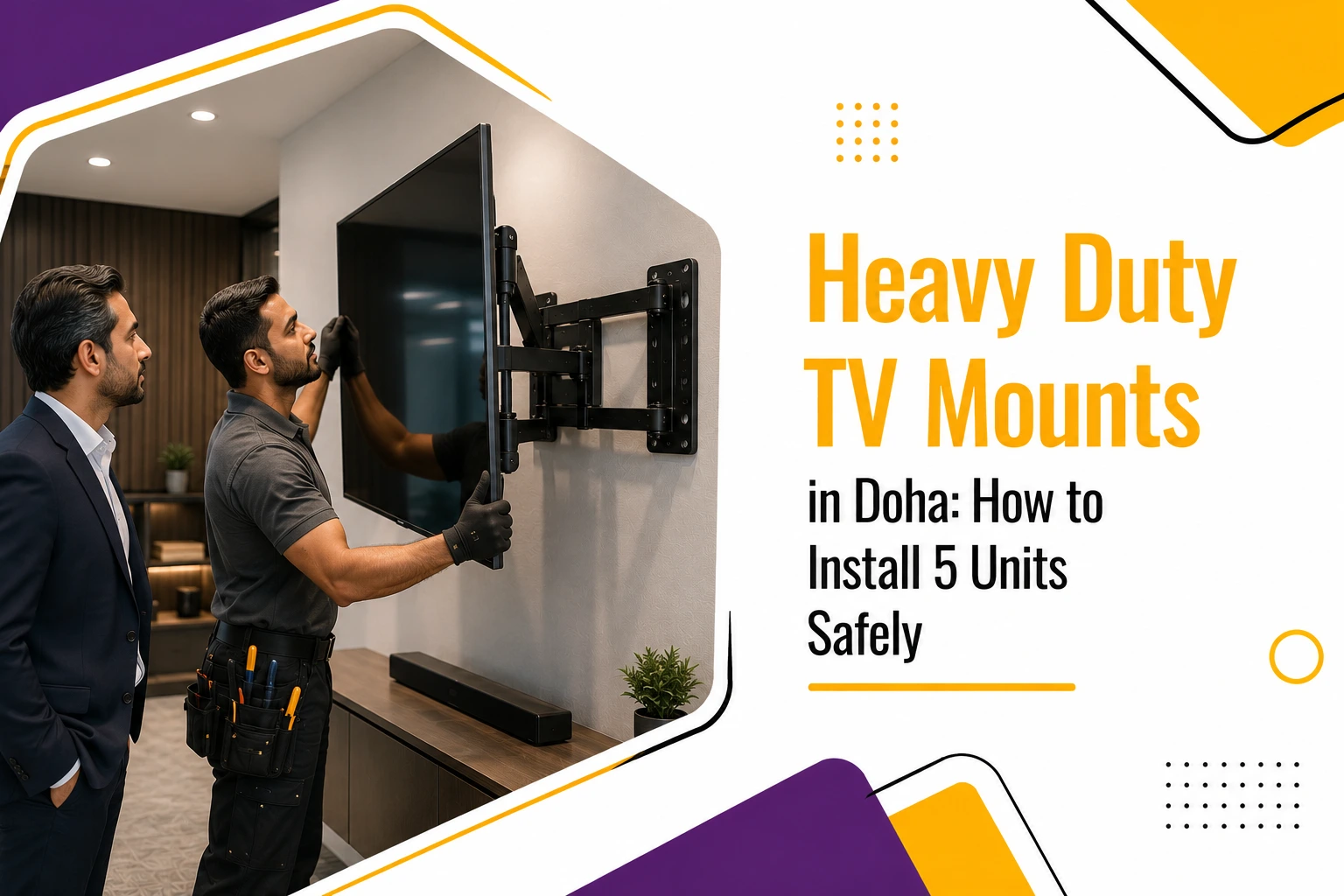
Installing a heavy-duty TV mount requires careful planning, the right tools, and secure attachment to wall studs or other approved structural supports. Following a safe, step-by-step process helps ensure your television is properly supported and reduces the risk of damage to both the wall and the TV.
1. Mark and Locate Wall Studs: Location Assessment.
Use a stud finder across the entire planned mounting area. Mark stud centers clearly with painter’s tape. For concrete, this step is skipped, but you will need to mark anchor positions at standard VESA spacing instead. Double-check VESA compatibility between your screen and the mount plate before drilling.
2. Drill and Anchor Correctly: Structural Fastening.
Drilling depth matters because anchors need full purchase in the wall material. Shallow drilling in concrete is a dangerous mistake. For each location, use the correct bit diameter, drill to the recommended depth, clean out the hole, and test pull resistance.
3. Attach the Mounting Plate: Alignment & Leveling.
With anchors set, bolt the wall plate to the surface. Use a torque wrench instead of a power drill for final tightening. Over-torquing cracks anchors, while under-torquing creates wobbles. Check that the plate is perfectly level before moving forward.
4. Hang and Level the Screen: Secure Placement.
Attach the VESA bracket to the rear of the screen first. With at least two people, lift the screen and hook it onto the wall plate. Confirm the bracket clicks or locks into place, check the horizontal level, and hand-tighten all locking screws before final torquing.
5. Final Safety Walkthrough: Quality Assurance.
Apply gentle forward and lateral pressure to each screen. Confirm that no mount creaks, shifts, or flexes under pressure. Ensure cable management does not create pull force on the screen, and photograph each installation for maintenance records.
Common Mistakes to Avoid During Bulk Installation
Even experienced teams make avoidable errors when installing multiple units under time pressure.
- Using the same anchor type across different wall materials
- Skipping level checks between steps
- Rushing cable tie-down before confirming screen position
- Over-relying on a single anchor instead of distributing the load across four bolts
- Not testing tilt lock mechanisms before signing off
Skipping Load Testing
Every unit should be load-tested after installation. This means applying firm, sustained pressure in multiple directions to simulate real-world contact.
A mount that fails under pressure testing costs time and money. A mount that fails after contact with a guest or employee costs far more. Hotel TV bracket installers in Qatar carry guest safety responsibilities that make this step non-negotiable.
Bulk TV in Doha deployments across hospitality venues should document every load test result for compliance and insurance purposes.
About Adonai Solutions
Adonai Solutions supplies commercial wall brackets Qatar businesses trust for large-scale AV deployments. Their product line includes anything from full-motion articulating brackets appropriate for high-traffic commercial settings to fixed flush installations.
Adonai Solutions has extensive knowledge of local wall specifications, building codes, and the logistical requirements of multi-unit installations throughout Doha’s commercial complexes due to its extensive expertise in Qatar’s construction and hotel industries.
Maintaining Your Mounts After Installation
Installation day is not the finish line. Mounts in commercial spaces experience more wear than residential ones, and regular maintenance protects both equipment and occupants.
Recommended inspection schedule:
- Monthly: Visually inspect for any obvious loosening, tilt, or physical damage.
- Quarterly: Tighten all bolts that are accessible to the specified torque.
- Annually: Full dismount inspection of anchor integrity behind the wall plate.
Signs your mount needs immediate attention:
- It looks like the screen has moved from where it was.
- When you touch the screen, you can hear a creak or movement.
- A visible gap appears between the wall plate and the wall surface.
- There are loose or missing locking screws on the bracket arm.
Do not wait for a screen to fall. Commercial environments move fast, and a screen under stress gives warning signs before it fails if you know what to look for.
TV Brackets in Qatar: Getting the Specification Right
Sourcing the right mount for a Qatar-based deployment means accounting for conditions that do not apply in cooler climates. Over time, anchor integrity is impacted by heat cycling, which is the expansion and contraction of materials as a result of temperature fluctuations.
Specify mounts with:
- Steel that has been powder-coated or galvanized to prevent rust in humid coastal regions
- High-load VESA compatibility for screens larger than 65 inches, with a minimum resolution of 600×400
- Load capacity that is independently assessed rather than only depending on manufacturer claims
TV brackets in Qatar that fail to meet these requirements might function properly in the short run, but local environmental conditions will cause them to deteriorate more quickly.
Adonai Solutions provides end-to-end support, from product selection to post-installation maintenance planning, for businesses managing multi-screen deployments throughout hotels, corporate campuses, or retail locations in Doha.
To match the appropriate heavy-duty TV mounts to each project’s structural and environmental requirements, their team collaborates closely with the procurement and facilities departments. Whether sourcing bulk TV mounts in Doha for a 20-room hotel block or a single executive boardroom, Adonai Solutions brings specification knowledge that reduces costly rework.
Secure Your Displays with Premium Heavy Duty TV Mounts
Install durable, heavy-duty TV mounts that provide maximum safety, reliable support, and a professional finish for commercial spaces.
Frequently Asked Questions
What makes a TV mount qualify as heavy duty for commercial use in Qatar?
A heavy-duty TV mount designed for commercial use must meet specific load ratings that go well beyond residential specs. In Qatar, commercial environments like hotels, malls, and offices typically require mounts rated for screens weighing 50 kg or more. The mount must use galvanized structure like Steel Lockers in Qatar, and independently verified load capacity. Certifications from recognized AV or safety standards bodies further distinguish commercial-grade from consumer-grade options. Always verify the rated load versus actual screen weight before purchasing. Adonai Solutions provides high-grade options that meet these strict industrial guidelines.
Are articulating brackets safe enough for hotel guest rooms?
Articulating brackets are widely used in hotel rooms across Qatar, and they are safe when installed correctly. The key is correct anchor depth, appropriate wall type, and post-installation load testing. Full-motion brackets introduce more mechanical stress points than fixed mounts, which means bolt tightening and joint inspections should happen more frequently, ideally every quarter. For rooms with higher guest turnover or larger screens above 65 inches, fixed or tilt-only mounts may be a more durable long-term choice depending on the room layout.
How do I calculate the right anchor load rating for bulk TV mounts in Doha?
For bulk TV mounts in Doha deployments, the anchor load rating should be at least two to three times the combined weight of the screen and mount bracket. For a 45 kg screen on a 5 kg mount, you are targeting anchors rated for a minimum of 150 kg pull resistance. This safety factor accounts for dynamic loads, including contact, vibration, and accidental impact, that static weight calculations alone do not capture. Always consult the data sheets from anchor manufacturers, not just the mount specifications, when selecting fasteners for each wall type.
What wall surface is most common in Doha's commercial buildings, and how does it affect installation?
Most commercial properties in Doha use reinforced concrete walls, which is actually favorable for secure TV installation in Doha projects. Concrete provides consistent anchor purchase, high pull resistance, and minimal flex under load. The challenge is drilling precision because anchors must reach the full specified depth and holes must be cleaned before insertion. Buildings with drywalled interior partitions require an entirely different anchoring approach using toggle bolts or steel stud fasteners. Always assess each wall before selecting the anchor type. Adonai Solutions assists engineering teams in analyzing local wall structures to ensure exact compatibility.
How should hotel TV brackets be inspected after installation in high-traffic areas?
Installations of hotel TV brackets in Qatar should follow a documented inspection schedule. Monthly visual checks should confirm no visible shift in screen position and no physical damage to the mount arm or wall plate. Quarterly checks should include retightening all accessible bolts to manufacturer torque specifications. Annual inspections should involve temporarily removing the wall plate to inspect the anchor condition and check for micro-cracking in the wall surface around the fasteners. Any signs of movement, creaking, or visible stress should trigger immediate inspection regardless of schedule.
Can commercial wall brackets be reused if a screen is upgraded?
Commercial wall brackets in Qatar can often be reused during a screen upgrade, but only under specific conditions. The new screen’s VESA pattern must match the existing bracket, and the weight must fall within the original mount’s load rating. If the upgrade involves a significantly larger or heavier screen, the anchoring system, not just the bracket, must be reassessed. Anchor holes that have been used once in concrete may have minor expansion from torque; re-testing pull resistance before reuse is strongly recommended.
What is the standard installation height for TV mounts in Qatar's corporate offices?
The standard recommendation for corporate and commercial TV placement puts the screen center at approximately eye level for a seated viewer, which is typically 110 to 120 cm from the floor to the screen center. In TV brackets in Qatar office deployments, this height may need adjustment based on room size, ceiling height, and whether the primary audience is seated or standing. For conference rooms with mixed use, a slight upward tilt using an articulating or tilt mount can balance sightlines across the room without compromising safety or mount integrity.